
Mechanical Pencil Render
From Caliper to CAD: Recreating a Product in 3D
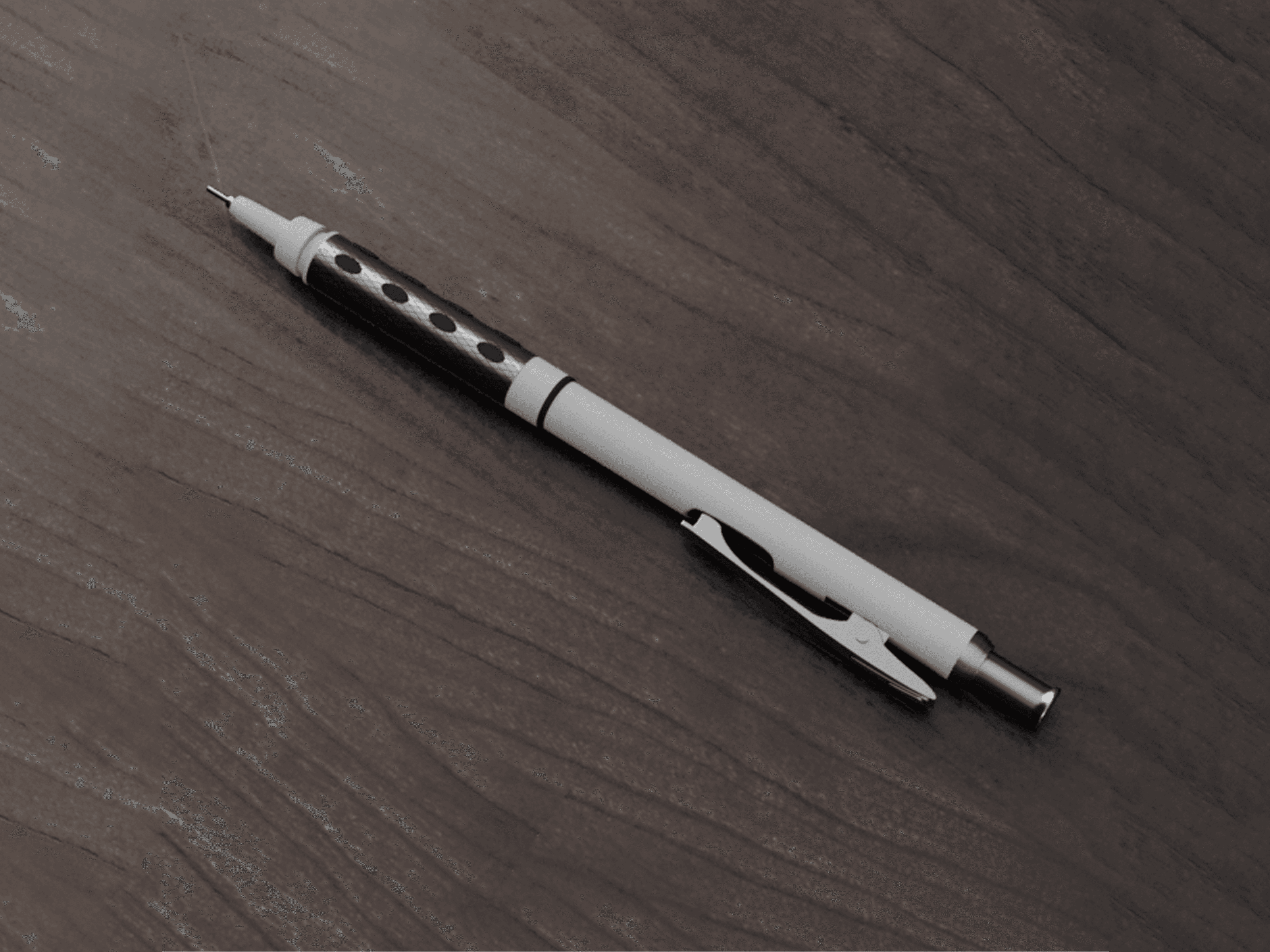
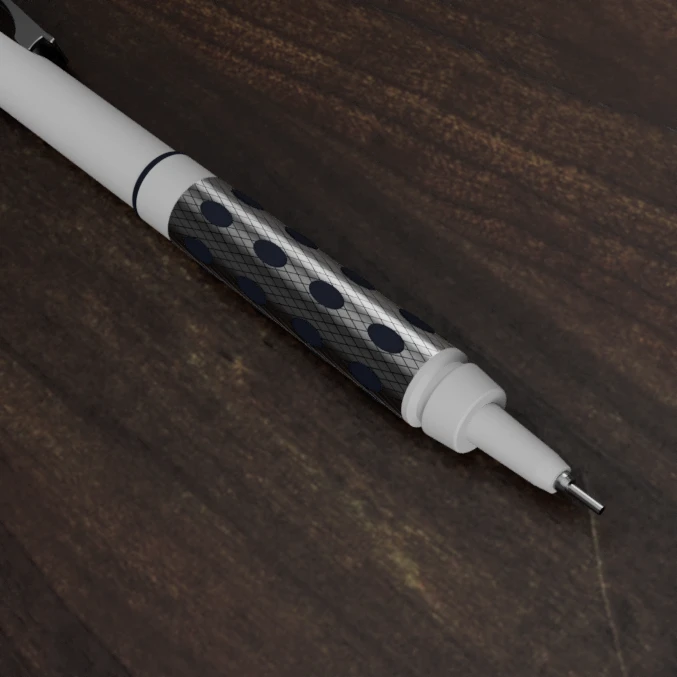
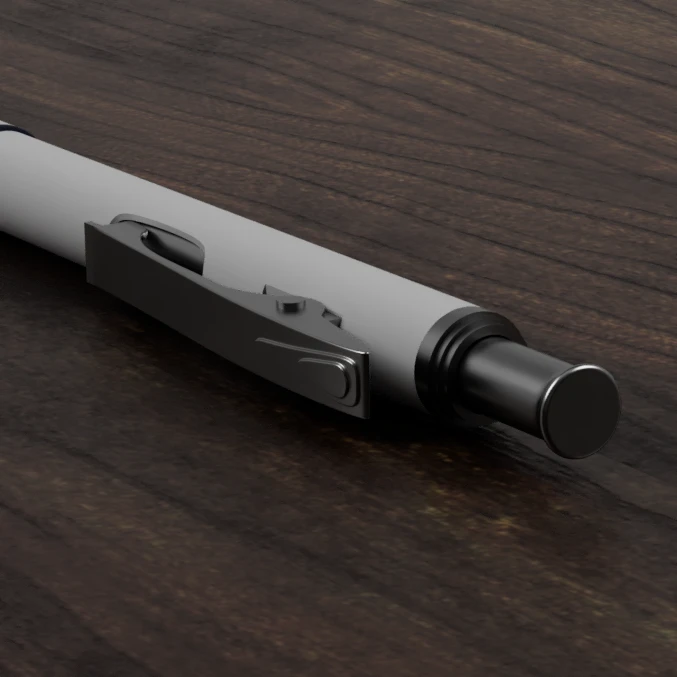
I strengthened my parametric CAD and visualization skills by reverse-engineering a Pentel GraphGear 3000 mechanical pencil in Autodesk Fusion 360. After capturing precise dimensions with calipers, I built a structured model using sketches, extrusions, revolves, and assembly constraints to replicate both external form and internal component relationships. I then assigned realistic material properties (metal, rubber, plastic) and used Fusion 360's rendering environment—lighting, scene setup, and camera positioning—to produce portfolio-quality renders that closely mirror the physical product's proportions and finishes.

Overview
I developed precision CAD modeling and rendering skills by recreating a real-world mechanical product in a digital environment. I selected a mechanical pencil as the reference object due to its combination of small-scale mechanical components and varied material finishes, which made it well-suited for practicing detailed modeling and visualization techniques. Using Autodesk Fusion 360, my goal was to replicate the physical product as accurately as possible while producing high-quality rendered outputs that reflect realistic materials and lighting conditions.
Project Objective
My primary objective was to strengthen proficiency in parametric CAD modeling and product visualization by reverse-engineering an existing consumer product—capturing accurate physical dimensions and translating them into a fully modeled 3D representation. A secondary objective was to explore material assignment and rendering workflows within Fusion 360 to produce visually realistic outputs suitable for portfolio presentation and design communication.
What Was Done
I began with detailed measurement of a Pentel GraphGear 3000 mechanical pencil using a caliper and ruler, capturing critical dimensions such as barrel diameter, component lengths, and proportional relationships between assembled parts.
I used these measurements to construct a structured CAD model in Autodesk Fusion 360, building geometry through a combination of sketches, extrusions, revolves, and assembly constraints to replicate both the external form and internal component relationships of the pencil.
Once the geometry was complete, I assigned material properties to different parts to reflect real-world finishes such as metal, rubber, and plastic.
Finally, I used Fusion 360's rendering environment to apply lighting, scene setup, and camera positioning to generate high-quality visual outputs that emphasize realism and product detail.
End Result
My final outcome is a highly accurate 3D CAD model of a mechanical pencil that closely mirrors the physical product in both form and proportion, demonstrating careful attention to measurement accuracy and a solid understanding of parametric modeling techniques. In addition to the CAD model, I produced a set of realistic rendered images that effectively communicate the product's materials, surface finishes, and overall design quality. The completed work serves as a strong demonstration of both technical modeling ability and visualization skills.

← Previous Post
